Module - 3 Microsoft Power Apps with Canvas Apps
2026-08-20 12:49
Tags: #ADET
Author: Duke Hsu
Topic
- Microsoft Power Apps
- Canvas Apps in Microsoft Power Apps
- Low-Code Development
- Microsoft Power Platform
- Canvas Apps and Model-Driven Apps
- Power Apps with Data sources
- Microsoft Dataverse
- Power Fx
Microsoft Power Apps
1.0
- Low-code / No-Code Platforms
- Creating Application with power apps
- Connecting power apps to data sources
flowchart TD
A[Build] --> B[Conneting Data]
B --> C[Deliver]
1.0 How it works
Build more with visual design and less traditional programming
flowchart TD
A[Drag & Drop] --> B[Configure]
B --> C[Formula]
C --> D[Visual & Reusable components]
2.0 Low-Code advantages and disadvantages
| Advantages | Disadvantages |
|---|---|
| Faster Development | Vendor Lock-in |
| More people can build | Limited Customization |
| Easier Integration | Scalability Limits |
| Less Repetitive code | Security and Governance |
| Connect existing systems | |
| Prototype quickly | |
| Collaborate with business user\s | |
| Low cost | |
| Better Visual Clarity |
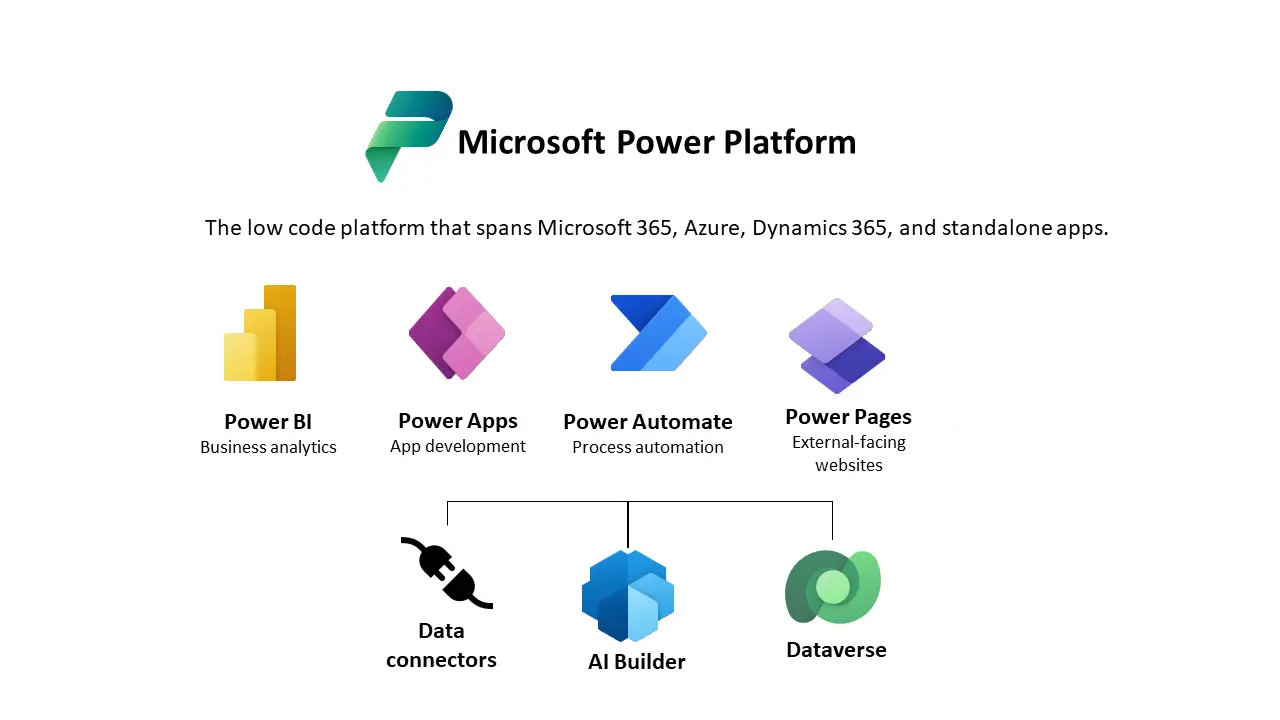
3.0 Microsoft Power Platform
- Power Apps
- Power BI
- Power Automate
- Power Pages
- Copilot Studio
- Data Foundation / Dataverse
4.0 Canvas Apps and Model-Driven Apps
4.1 Canvas Apps
- Full UI control
- Support different data sources
- Better Visual Clarity
- Mobile / Desktop Program
Main components
- Screens / Stages
- Controls
- Power Fx / function /函數
- Data Sources
4.2 Model-Driven Apps
- Dataverse-centered
- Forms, Views, Charts
- Structured processes / Data Processes and Analytics
- SaaS / Web application / Manager System
Main components
- Tables
- Forms
- Views
- Charts Focus Business Application / Data Processes
Data , Relationships , Business Rules, Security , Access Control
5.0 Power Apps Data Sources
You can connect the app to the existing data sources
5.1 Existing Data Sources
- Excel
- SQL Server
- SharePoint
- Dataverse
CURD
- Create
- Update
- Read
- Delete
5.2 Microsoft Dataverse
Microsoft Dataverse can store data, manage and process it, and provide the data for applications to display to users
- Tables
- Logical
- Relationship
- Security
- Power Platform Integration
References
https://learn.microsoft.com/en-us/power-apps/maker/data-platform/data-platform-intro