Module - 6 Network Address Translation For IPv4
2026-10-04 13:43
Tags: #enterpriseNetwork
Author: Duke Hsu
Topic
- NAT definition
- NAT Terminology
- Types of NAT
- NAT Advantages and Disadvantages
- NAT for IPv4 Hands-on
- NAT 64
1. NAT Definition
NAT allows networks to use private IPv4 addresses internally and translates them to a public address when needed
A NAT router typically operates at the border of a stub network
When a device inside the stub network wants to communicate with a device outside of its network, the packet is forwarded to the border router which performs the NAT process, translating the internal private address of the device to a public , outside, routable address.
1.1 How NAT Works
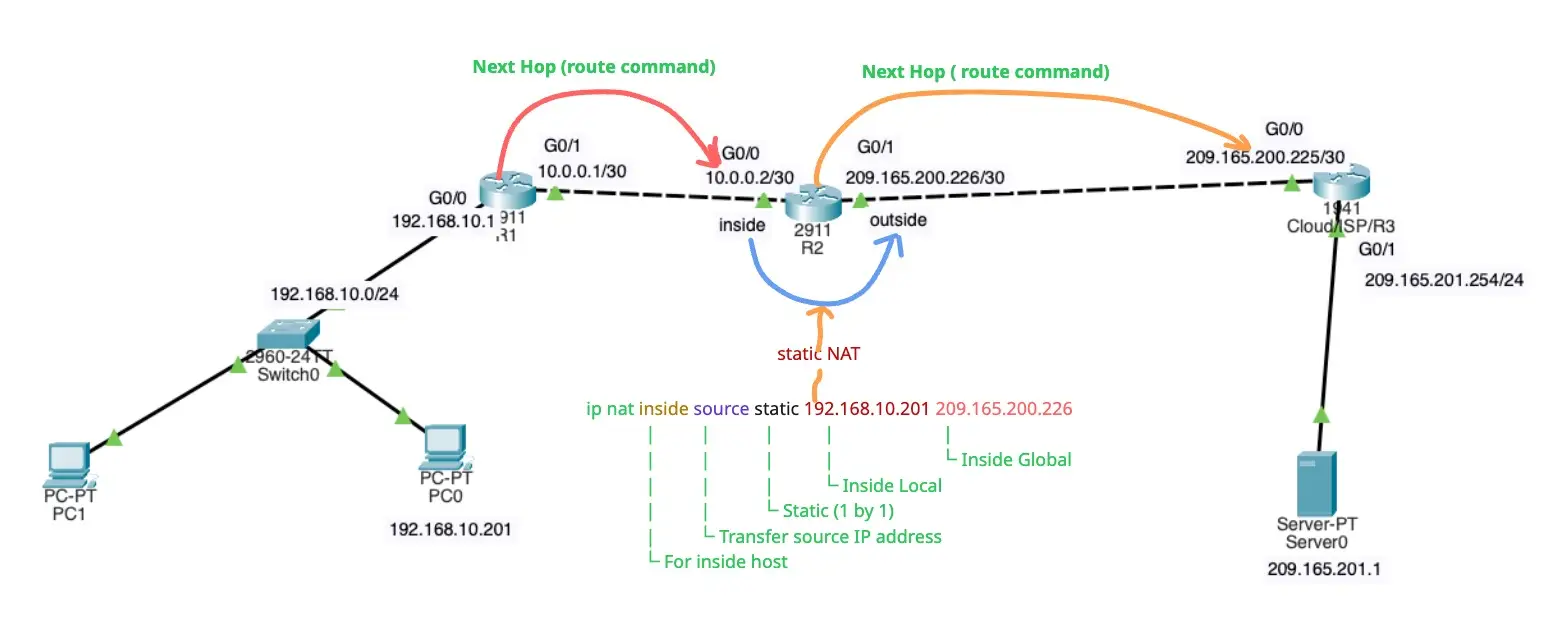
PC1 wants to communicate with an outside web server with
public address 209.165.201.1.
- PC1 sends a packet addressed to the web server.
- R2 receives the packet and reads the source IPv4 address
to determine if it needs translation. - R2 adds mapping of the local to global address to the NAT
table. - R2 sends the packet with the translated source address
toward the destination. - The web server responds with a packet addressed to the
inside global address of PC1 (209.165.200.226). - R2 receives the packet with destination address
209.165.200.226. R2 checks the NAT table and finds an
entry for this mapping. R2 uses this information and
translates the inside global address (209.165.200.226) to
the inside local address (192.168.10.201), and the packet is
forwarded toward PC1
2. NAT Terminology
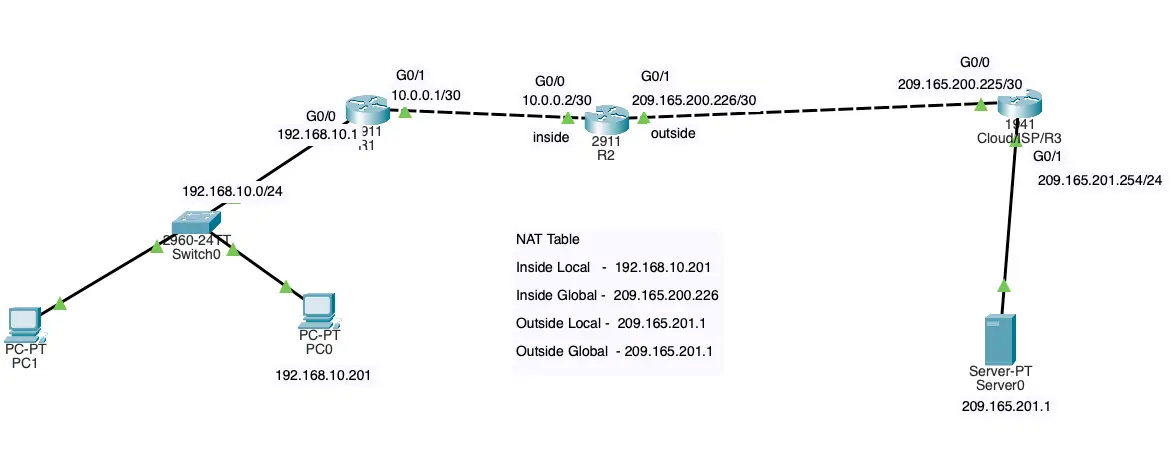
NAT includes four types of addresses:
- Inside local address
- Inside Global address
- Outside local address
- Outside global address
3. Types of NAT
3.1 Static NAT
Static NAT uses a one-to-one mapping of local and global addresses configured by the network administrator that remain constant.
-
Static NAT is useful for web server or devices that must have a consistent address that is accessible from the internet, such as a company web server.
-
It is also useful for devices that must be accessible by authorized personnel when offsite, but not by the general public on the internet.
Information
Static NAT requires that enough public addresses are available to satisfy the total number of simultaneous user sessions.
Static NAT configuration
1 2 3 4 5 6 7 8 9 10 11 | |
1 2 3 4 5 6 7 | |