Module - 1 Single Area Open Shortest Path First
2026-08-18 16:58 Update: 2026-08-26
Tags: #enterpriseNetwork
Author: Duke Hsu
Topic
- OSPF Features and Characteristics
- Components of OSPF
- Three OSPF Databases
- SPF Algorithm
- Link-State Operation
- Single-Area and Multi-Area OSPF
- OSPF Operational States
- Hello Packet
- DR / BDR / DROTHER
- OSPF Cost Calculation
1.0 OSPF Features and Characteristics
OSPF - Open Shortest Path First
1.1 Core concept
- OSPF is a Link-State Routing Protocol
- OSPF has faster convergence than RIP
- OSPF is more scalable
- OSPF user areas
- Link-State information includes:
- Network Prefix
- Prefix Length
- Cost
OSPF learns the network topology and calculates the shortest path.
2.0 Components of OSPF
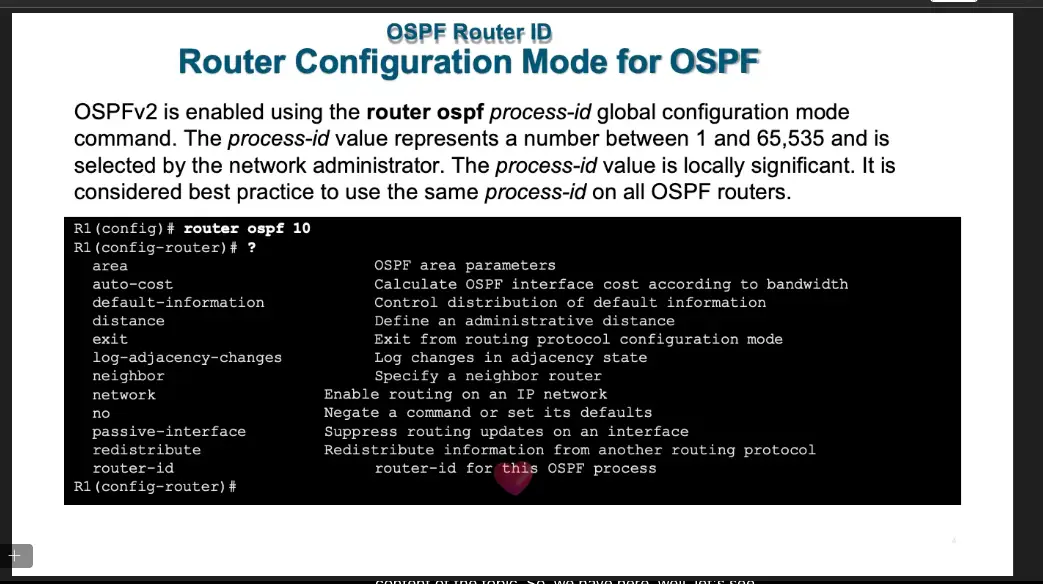
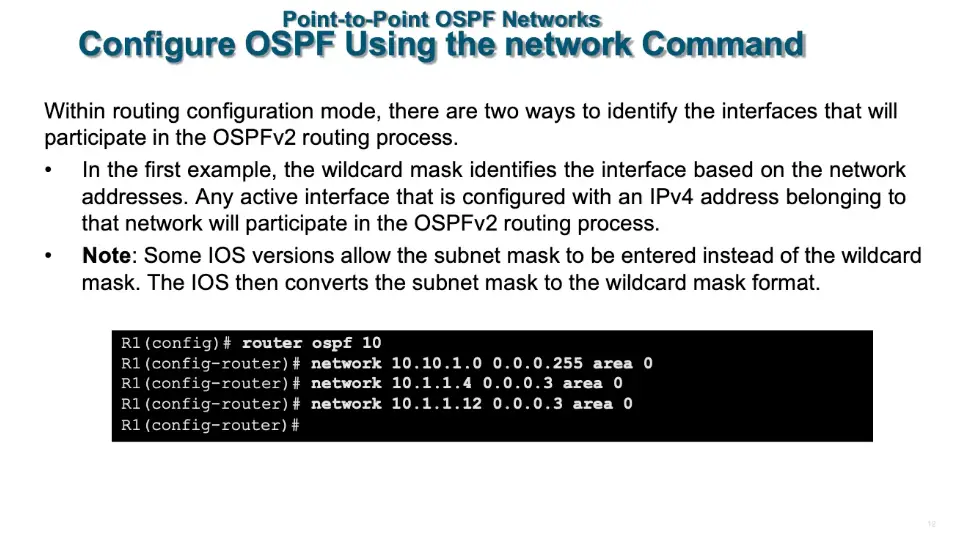
OSPF routers exchange routing information with each other through OSPF messages.
OSPF has five packet types:
| Type | Packet name | Description | Memorize |
|---|---|---|---|
| 1 | Hello | Discovers neighbors and builds adjacencies between them | find other |
| 2 | Database Description(DBD) | Checks for database synchronization between routers | informed other |
| 3 | Link-State Request(LSR) | Requests specific link-state records from router to router | ask status |
| 4 | Link-State Update(LSU) | Sends specifically requested link-state records | reply status |
| 5 | Link-State Acknowledgment(LSAck) | Acknowledges the other packet types | noted |
3.0 Three OSPF Databases
| Database | Table | Command | |
|---|---|---|---|
| Adjacency Database | Neighbor table | show ip ospf neighbor |
|
| Link-State Database(LSDB) | Topology Table | show ip ospf database |
|
| Forwarding Database | Routing Table | show ip route |
4.0 SPF Algorithm
OSPF Path Selection
OSPF uses the Dijkstra Shortest Path First (SPF) Algorithm to calculate the best path.
OSPF uses Cumulative Cost to compare different paths.
Lower Cost = Better Path
Example:
Path A: R1 → R2 → R4 Cost: 10 + 10 = 20
Path B: R1 → R3 → R4 Cost: 5 + 10 = 15
Path B → Cost 15 ✅
5.0 Link-State Operation
6.0 Single-Area and Multiarea OSPF
6.1 Single-Area OSPF
All routers are in the same OSPF area.
Usually, we use Area 0.
Example:
R1 ─── R2 ─── R3 Area 0
6.2 Multiarea OSPF
There are multiple OSPF areas.
All other areas must connect to the Backbone Area (Area 0).
A router that connects Area 0 to another area is called an:
ABR = Area Border Router
Example:
Area 1 Area 0 Area 2 R1 ─── [ABR] ─── R2 ─── [ABR] ─── R3
7.0 OSPF Operational States
Down → Init → Two-Way → ExStart → Exchange → Loading → Full
| State | 中文理解 |
|---|---|
| Down | 還沒收到 Hello |
| Init | 收到對方 Hello |
| Two-Way | 雙方已經互相認識 |
| ExStart | 決定誰先開始交換 DBD |
| Exchange | 交換 DBD |
| Loading | 用 LSR / LSU 補齊資訊 |
| Full | LSDB 完全同步 |
8.0 Hello Packet
Hello Packet
The default OSPFv2 Hello interval on multiaccess and point-to-point networks is 10 seconds, while the default Dead interval is 40 seconds.
The OSPF Hello Packet has several important functions:
- Discover Neighbors
-
Discover other OSPF routers.
-
Establish Adjacency
-
Establish and maintain OSPF neighbor relationships.
-
Advertise Parameters
-
Exchange parameters required to become OSPF neighbors.
-
Elect DR and BDR
- Elect a Designated Router (DR) and Backup Designated Router (BDR) on multiaccess networks.
Point-to-Point Links
Point-to-point links do not require DR/BDR election.
OSPFv2 Hello Multicast Address
OSPFv2 Hello packets use the following IPv4 multicast address:
224.0.0.5 = AllSPFRouters (All OSPF Routers)
Class note
- Use LEC module to in LAB / This week